Managing AI Streaming State in Angular 20+: An Angular Consultant’s Guide to OpenAI Token Streams, SignalStore Patterns, and Graceful Error Recovery
IntegrityLens lessons from shipping real-time AI experiences without janky UIs, lost tokens, or dead-end errors—built with Signals, SignalStore, and Firebase.
Token-aware state turns a demo into a product. Streams aren’t magic; they’re just state changes arriving quickly—treat them that way.Back to all posts
If you’ve ever watched a chatbot UI stutter while OpenAI streams tokens, you’ve felt the cost of bad state. I’ve shipped AI streaming UX in production for IntegrityLens—an AI-powered verification system with multi-step prompts, real-time analysis, and strict SLAs. This article distills the patterns that made it stable: Signals + SignalStore for token-by-token updates, a Firebase proxy for secure SSE, and an error taxonomy that leads users to recovery instead of dead ends.
This is the Signals & Statecraft playbook I use as a remote Angular consultant on Fortune 100 dashboards, kiosks, and AI-assisted apps. If you’re planning 2025 AI features or need to hire an Angular developer to rescue a vibe-coded prototype, here’s the implementation detail you can hand your team today.
When AI Streams Derail: A Real Scene from IntegrityLens
As enterprises plan 2025 AI roadmaps, streaming quality will separate demos from products. If you’re evaluating an Angular expert for hire, insist on token-aware state models, not just fancy prompts.
The jittery dashboard moment
During an IntegrityLens release, we saw a familiar failure: tokens trickled in, the UI rendered every micro-chunk, and our verification panel jittered like a stock ticker from 1999. A user cancelled—and the last 30 tokens vanished. That’s not an AI problem; it’s statecraft.
Spinner stuck at 90%
Tokens arrive out of order
User hits cancel; the UI freezes
What fixed it
We rebuilt the streaming path with Angular 20 Signals, wrapped it in a SignalStore, proxied OpenAI via Firebase Functions for secure SSE, and defined clear phases: idle → streaming → complete/error/cancelled. Latency charts flattened, and the UX stopped lying.
Signals + SignalStore for precise token state
Firebase Function proxy for SSE security
AbortController + typed error taxonomy for graceful exits
Why Managing OpenAI Streaming State Is Hard (and Why Signals Help)
Signals reduce render count, isolate hot paths, and make cancellation deterministic—exactly what you want for token-by-token rendering.
AI streams are not typical HTTP
OpenAI’s chat completions stream via SSE with JSON frames that can split arbitrarily. Frames include role, content deltas, and tool-call parts. Network hiccups, proxy buffering, or CDN behavior can splice chunks unpredictably.
Data arrives incrementally
Frames may split mid-token
Providers vary in SSE shape
Traditional state isn’t granular enough
In legacy Angular patterns, teams glue RxJS streams to mutable arrays and let change detection thrash. It works—until it doesn’t. For token-by-token UX, you need a minimal, granular state surface that won’t re-render the world.
Promise resolves too late
Observable pipelines get over-engineered
Change detection churn kills FPS
Signals fit streaming UX
Angular 20 Signals give us immediate, deterministic updates without over-subscribing templates. With SignalStore, we keep a single source of truth and expose intentful methods like appendToken and finalizeMessage that protect invariants.
Fine-grained, synchronous updates
Derived state via computed()
Store methods enforce invariants
Signals Architecture for Token-by-Token Updates (Store, Service, UI)
Here’s a full example you can drop into an Angular 20 app. It uses @ngrx/signals SignalStore, fetch streaming, and a Firebase Functions proxy.
State model with SignalStore
Model the stream explicitly. Separate the stable transcript from the ephemeral tokenBuffer so aborts can salvage partial output. Expose methods to mutate only through the store—no template glue logic.
Phases: idle, streaming, complete, error, cancelled
Explicit tokenBuffer for partial content
Usage and timing for telemetry
Streaming service using fetch + SSE
Use the browser’s fetch with keepalive off and an AbortController. Parse event-stream frames line-by-line; guard JSON.parse with try/catch and tolerate split frames by buffering until newline.
Abortable fetch
Chunk parser with TextDecoder
Provider-agnostic handler
Cancellation + retries
Let users cancel without losing progress: finalize what you have and mark the message as cancelled. For retriable errors (5xx, ENOTFOUND), back off with jitter; for 4xx, surface actionable feedback.
User cancel via AbortController
Server timeout safety
Jittered exponential backoff
UI with PrimeNG and virtualization
Virtualize transcripts and throttle token merges to batch paints without killing the stream feel. Use microcopy to explain state: “Generating… Tap to stop.”
p-virtualScroller for long chats
p-progressBar for phases
Throttled rendering (16–32ms)
Telemetry hooks
Record metrics to GA4 or OpenTelemetry and inspect with Angular DevTools flame charts. If your p95 first-token is high, your proxy or model choice may be the culprit.
tokens/sec, first-token latency
abort reasons, retry counts
Core Web Vitals + Angular DevTools
Error taxonomy and UX recovery
Users don’t care about ECONNRESET. Offer clear actions: Resume (if provider supports), Retry with backoff, or Save Draft to keep partial output. Redact PII in logs.
Network vs quota vs validation
Resume, Retry, Save Draft
Redaction + content safety
Persistence and offline tolerance
In kiosks or flaky networks, persist drafts and session metadata so a reload doesn’t nuke work. IntegrityLens autosaves every 1–2 seconds of token flow.
LocalStorage or IndexedDB
Autosave drafts
Rehydrate on reload
SSR pitfalls and hydration
Don’t start streams during SSR. Use isPlatformBrowser and defer to afterNextRender. Feature flags let you canary model/provider switches without redeploys.
Guard browser-only streaming
Deterministic hydration
Feature flag model variants
Code: SignalStore for Chat + Streaming Service
// chat.store.ts
import { signalStore, withState, withMethods, withComputed, patchState } from '@ngrx/signals';
import { computed, signal } from '@angular/core';

export type Phase = 'idle' | 'streaming' | 'complete' | 'error' | 'cancelled';

export interface ChatMessage {
  id: string;
  role: 'user' | 'assistant' | 'system';
  content: string;
  createdAt: number;
}

export interface ChatState {
  messages: ChatMessage[];
  activeMessageId: string | null; // assistant message being built
  tokenBuffer: string;             // not yet committed to messages
  phase: Phase;
  usage: { inputTokens: number; outputTokens: number };
  lastError: { code: string; message: string } | null;
  timings: { startedAt?: number; firstTokenAt?: number; endedAt?: number };
}

const initialState: ChatState = {
  messages: [],
  activeMessageId: null,
  tokenBuffer: '',
  phase: 'idle',
  usage: { inputTokens: 0, outputTokens: 0 },
  lastError: null,
  timings: {}
};

export const ChatStore = signalStore(
  { providedIn: 'root' },
  withState(initialState),
  withComputed(({ messages, tokenBuffer, phase, timings }) => ({
    transcript: computed(() => messages()),
    streamingContent: computed(() => tokenBuffer()),
    isBusy: computed(() => phase() === 'streaming'),
    firstTokenMs: computed(() => {
      const t = timings();
      return t.firstTokenAt && t.startedAt ? t.firstTokenAt - t.startedAt : null;
    })
  })),
  withMethods((store) => ({
    addUserMessage(content: string) {
      const msg: ChatMessage = { id: crypto.randomUUID(), role: 'user', content, createdAt: Date.now() };
      patchState(store, (s) => ({ messages: [...s.messages, msg] }));
    },
    beginAssistantMessage() {
      const id = crypto.randomUUID();
      patchState(store, (s) => ({
        activeMessageId: id,
        tokenBuffer: '',
        phase: 'streaming',
        timings: { ...s.timings, startedAt: Date.now(), firstTokenAt: undefined, endedAt: undefined },
        lastError: null
      }));
      return id;
    },
    appendToken(token: string) {
      patchState(store, (s) => ({
        tokenBuffer: s.tokenBuffer + token,
        usage: { ...s.usage, outputTokens: s.usage.outputTokens + 1 },
        timings: { ...s.timings, firstTokenAt: s.timings.firstTokenAt ?? Date.now() }
      }));
    },
    flushTokens() {
      patchState(store, (s) => {
        if (!s.activeMessageId) return {} as any;
        const assistant: ChatMessage = {
          id: s.activeMessageId,
          role: 'assistant',
          content: (s.messages.find(m => m.id === s.activeMessageId)?.content ?? '') + s.tokenBuffer,
          createdAt: s.timings.startedAt ?? Date.now()
        };
        const others = s.messages.filter(m => m.id !== s.activeMessageId);
        return { messages: [...others, assistant], tokenBuffer: '' } as Partial<ChatState> as any;
      });
    },
    finalizeSuccess() {
      patchState(store, (s) => ({ phase: 'complete', activeMessageId: null, timings: { ...s.timings, endedAt: Date.now() } }));
    },
    cancelStream() {
      // keep partial tokens; user may retry or save draft
      patchState(store, (s) => ({ phase: 'cancelled', activeMessageId: null, timings: { ...s.timings, endedAt: Date.now() } }));
    },
    failStream(code: string, message: string) {
      patchState(store, (s) => ({
        phase: 'error',
        lastError: { code, message },
        activeMessageId: null,
        timings: { ...s.timings, endedAt: Date.now() }
      }));
    },
    reset() {
      patchState(store, initialState);
    }
  }))
);
// ai-stream.service.ts
import { Injectable, inject } from '@angular/core';
import { ChatStore } from './chat.store';
export interface StreamOptions {
model: string;
systemPrompt?: string;
temperature?: number;
maxTokens?: number;
}
@Injectable({ providedIn: 'root' })
export class AiStreamService {
private store = inject(ChatStore);
private controller: AbortController | null = null;
async streamCompletion(messages: { role: string; content: string }[], opts: StreamOptions) {
this.abort();
this.controller = new AbortController();
const activeId = this.store.beginAssistantMessage();
const res = await fetch('/api/ai/stream', {
method: 'POST',
signal: this.controller.signal,
headers: { 'Content-Type': 'application/json' },
body: JSON.stringify({ messages, ...opts })
});
if (!res.ok || !res.body) {
this.store.failStream(String(res.status), `Provider error: ${res.statusText}`);
return;
}
const reader = res.body.getReader();
const decoder = new TextDecoder('utf-8');
let buffer = '';
try {
for (;;) {
const { done, value } = await reader.read();
if (done) break;
buffer += decoder.decode(value, { stream: true });
let idx;
while ((idx = buffer.indexOf('\n')) >= 0) {
const line = buffer.slice(0, idx).trim();
buffer = buffer.slice(idx + 1);
if (!line) continue;
if (line.startsWith('data: ')) {
const payload = line.slice(6).trim();
if (payload === '[DONE]') break;
try {
const json = JSON.parse(payload);
const delta = json.choices?.[0]?.delta?.content ?? '';
if (delta) this.store.appendToken(delta);
} catch (e) {
// tolerate partial frames; keep buffering until we get a full JSON line
}
}
}
// Batch paint by occasionally flushing tokens into the message
this.store.flushTokens();
}
// Final flush on completion
this.store.flushTokens();
this.store.finalizeSuccess();
} catch (err: any) {
if (err?.name === 'AbortError') {
this.store.flushTokens();
this.store.cancelStream();
} else {
this.store.flushTokens();
this.store.failStream('stream_error', err?.message ?? 'Unknown streaming error');
}
} finally {
this.controller = null;
}
}
abort() {
this.controller?.abort();
this.controller = null;
}
}// chat.component.ts
import { Component, computed, signal, inject } from '@angular/core';
import { ChatStore } from './chat.store';
import { AiStreamService } from './ai-stream.service';
@Component({
selector: 'app-chat',
templateUrl: './chat.component.html',
styleUrls: ['./chat.component.scss']
})
export class ChatComponent {
private store = inject(ChatStore);
private ai = inject(AiStreamService);
messages = this.store.transcript;
streaming = this.store.streamingContent;
isBusy = this.store.isBusy;
lastError = computed(() => this.store.lastError());
userInput = signal('');
send() {
const content = this.userInput().trim();
if (!content) return;
this.store.addUserMessage(content);
this.userInput.set('');
const context = this.messages().map(m => ({ role: m.role, content: m.content }));
this.ai.streamCompletion(context, { model: 'gpt-4o-mini', temperature: 0.2, maxTokens: 512 });
}
cancel() { this.ai.abort(); }
}<!-- chat.component.html -->
<p-virtualScroller [value]="messages()" [itemSize]="36" style="height: 420px;">
<ng-template pTemplate="item" let-m>
<div class="msg" [class.assistant]="m.role==='assistant'" [class.user]="m.role==='user'">{{ m.content }}</div>
</ng-template>
</p-virtualScroller>
<div class="assistant-stream" *ngIf="isBusy() || streaming()">
<div class="msg assistant">{{ streaming() }}</div>
<p-progressBar mode="indeterminate" *ngIf="isBusy()"></p-progressBar>
<button pButton label="Cancel" (click)="cancel()" class="p-button-text"></button>
</div>
<div class="composer">
<textarea [(ngModel)]="userInput()" (ngModelChange)="userInput.set($event)" rows="2"></textarea>
<button pButton label="Send" (click)="send()" [disabled]="isBusy()"></button>
</div>
<p-message *ngIf="lastError() as e" severity="error" [text]="e.code + ': ' + e.message"></p-message>/* chat.component.scss */
.msg { padding: .5rem .75rem; margin:.25rem 0; border-radius: 6px; line-height: 1.35; }
.msg.user { background: var(--surface-100); }
.msg.assistant { background: var(--primary-50); }
.assistant-stream { margin-top: .5rem; }
.composer { display:flex; gap:.5rem; align-items:flex-end; }
textarea { flex:1; resize:vertical; }// telemetry.service.ts (typed events)
export type AiEvent =
| { type: 'ai.stream.start'; model: string; ts: number }
| { type: 'ai.stream.firstToken'; ms: number; ts: number }
| { type: 'ai.stream.complete'; tokens: number; ms: number; ts: number }
| { type: 'ai.stream.abort'; reason: 'user' | 'timeout'; ts: number }
| { type: 'ai.stream.error'; code: string; message: string; ts: number };
export class TelemetryService {
emit(evt: AiEvent) { /* send to GA4/OpenTelemetry/Firebase */ }
}// feature-flags.ts
export const FEATURES = {
model: signal<'gpt-4o-mini' | 'gpt-4o' | 'claude-3-haiku'>('gpt-4o-mini'),
streamBatchMs: signal(24),
canaryProxy: signal<'firebase' | 'node' | 'edge'>('firebase')
};Chat store
Streaming service
Component + template
Telemetry + feature flags
Firebase Proxy for Secure SSE (No Keys in the Browser)
// functions/src/index.ts (Firebase Functions v2)
import * as functions from 'firebase-functions/v2/https';
import fetch from 'node-fetch';

export const aiStream = functions.onRequest({ cors: true, region: 'us-central1' }, async (req, res) => {
  try {
    const { messages, model, temperature = 0.2, maxTokens = 512 } = req.body || {};
    if (!Array.isArray(messages)) {
      res.status(400).json({ error: 'Invalid messages' });
      return;
    }

    res.setHeader('Content-Type', 'text/event-stream');
    res.setHeader('Cache-Control', 'no-cache, no-transform');
    res.setHeader('Connection', 'keep-alive');

    const openaiRes = await fetch('https://api.openai.com/v1/chat/completions', {
      method: 'POST',
      headers: {
        'Content-Type': 'application/json',
        'Authorization': `Bearer ${process.env.OPENAI_API_KEY}`
      },
      body: JSON.stringify({
        model,
        messages,
        temperature,
        max_tokens: maxTokens,
        stream: true
      })
    });

    if (!openaiRes.ok || !openaiRes.body) {
      res.status(openaiRes.status).json({ error: openaiRes.statusText });
      return;
    }

    // Pipe SSE frames; do not JSON.parse. Preserve provider framing.
    const reader = (openaiRes.body as any).getReader?.();
    if (reader) {
      const decoder = new TextDecoder('utf-8');
      let done: boolean, value: Uint8Array | undefined;
      // eslint-disable-next-line no-constant-condition
      while (true) {
        const chunk = await reader.read();
        done = chunk.done; value = chunk.value;
        if (done) break;
        res.write(decoder.decode(value, { stream: true }));
      }
      res.end();
    } else {
      // Fallback for environments without getReader
      (openaiRes.body as any).on('data', (c: Buffer) => res.write(c));
      (openaiRes.body as any).on('end', () => res.end());
      (openaiRes.body as any).on('error', (e: any) => res.end());
    }
  } catch (e: any) {
    res.write(`data: ${JSON.stringify({ error: e?.message || 'proxy_error' })}\n\n`);
    res.end();
  }
});
# firebase.json excerpt - ensure no compression on the stream route
{
"hosting": {
"headers": [
{
"source": "/api/ai/stream",
"headers": [
{ "key": "Cache-Control", "value": "no-cache, no-transform" }
]
}
],
"rewrites": [
{ "source": "/api/ai/stream", "function": "aiStream" }
]
}
}<!-- environment.ts example mapping -->
export const environment = { apiUrl: '/api' };Why proxy
Never ship provider keys to the browser. A proxy lets you redact prompts, filter content, and enforce rate limits. It also gives you a consistent SSE shape across providers.
Hide API keys and enforce quotas
Normalize provider differences
Add audit logging + redaction
Firebase Functions v2 streaming handler
Functions v2 on Node 18 can forward SSE by writing chunks with res.write. Keep compression disabled for the route and flush headers early.
Set event-stream headers
Forward chunks verbatim
Abort on client disconnect
Graceful Error Recovery and a Typed Error Taxonomy
// backoff.ts
export async function retry<T>(fn: (attempt: number) => Promise<T>, max = 4, baseMs = 300): Promise<T> {
  let lastErr: any;
  for (let i = 0; i <= max; i++) {
    try { return await fn(i); } catch (e) {
      lastErr = e; if (i === max) break;
      const sleep = Math.min(5000, baseMs * Math.pow(2, i)) * (0.6 + Math.random() * 0.8);
      await new Promise(r => setTimeout(r, sleep));
    }
  }
  throw lastErr;
}
// error-taxonomy.ts
export type ErrorCode =
| 'network.transient'
| 'quota.limits'
| 'validation.input'
| 'provider.timeout'
| 'provider.rejected'
| 'stream_error';
export function classify(status?: number, err?: any): ErrorCode {
if (status === 429) return 'quota.limits';
if (status && status >= 500) return 'network.transient';
if (err?.name === 'AbortError') return 'provider.timeout';
return 'stream_error';
}<!-- Recovery UI microcopy (PrimeNG) -->
<p-toast></p-toast>
<p-confirmDialog></p-confirmDialog>
<p-panel header="Assistant">
<ng-container *ngIf="!lastError(); else err">
<!-- normal stream UI -->
</ng-container>
<ng-template #err>
<p-message severity="warn" text="We hit a hiccup. Your draft is safe."></p-message>
<div class="actions">
<button pButton label="Retry" icon="pi pi-refresh" (click)="send()"></button>
<button pButton label="Save Draft" class="p-button-secondary" (click)="saveDraft()"></button>
<button pButton label="Copy Output" class="p-button-text" (click)="copy(streaming())"></button>
</div>
</ng-template>
</p-panel>Error classes
Categorize errors by actionability. Network/transient gets backoff; quota surfaces usage guidance; validation highlights user fix; provider timeouts allow Resume or Retry.
network.transient
quota.limits
validation.input
provider.timeout
Backoff with jitter
Use decorrelated jitter. Include a requestId so retries don’t duplicate server-side logs or billing.
Cap attempts (3–5)
Jitter to avoid thundering herd
Idempotent request IDs
User-facing recovery
Never trap the user with a spinner. Provide instant options that respect the work already produced.
Retry with details
Save Draft
Copy partial output
IntegrityLens Lessons: What Survived Production
If you need an Angular consultant who’s shipped AI streaming at scale, this is the difference between a jittery demo and a trustworthy tool: explicit state, guarded proxies, and observable outcomes.
Guardrails we shipped
We version prompts inside Nx libraries, toggled models and providers with Remote Config, and enforced token ceilings from the proxy to avoid runaway costs.
Prompt templates versioned in Nx
Feature flags via Firebase Remote Config
Hard limits on tokens/model switches
Buffering and paint strategy
We flush the token buffer on a short cadence to maintain the stream feel while keeping layout stable. VirtualScroller kept transcript paints cheap.
16–24ms flush cadence
Virtualize + minimal DOM
Prepend system hints once
Observability
Dashboards tracked first-token latency p95 < 900ms after proxy tuning. A “zero-token complete” alert caught provider anomalies early.
First-token p95 under 900ms
Zero-token error alerts
Retry counts and reasons
People workflow
We made cancel semantics explicit and used aria-live=polite on the streaming output. Screen reader users stayed in the loop without a flood of announcements.
Explain cancel vs stop
Autosave drafts by default
Accessibility: live regions
Observable vs Signals for Streaming: What I Use in Angular 20+
| Capability | RxJS Observable | Angular Signals |
|---|---|---|
| Transport streaming (SSE/WebSocket) | Strong (native operators, cancellation) | Handled via imperative code; fine-grained UI updates |
| UI reactivity granularity | Coarse by default; needs distinctUntilChanged | Fine-grained; template updates exactly when a signal changes |
| Memory/debug tooling | Mature (DevTools) | Growing (Angular DevTools Signals tab) |
| State co-location with methods | Requires patterns (facades/services) | SignalStore provides methods + state in one unit |
| Learning overhead | Higher (operators) | Lower for most UI state |
| SSR safety | Good with guards | Good with guards |
My rule of thumb: use RxJS to talk to the wire, Signals to talk to the template.
Comparison at a glance
When I still use RxJS
RxJS remains excellent for transport-level concerns and multi-source composition. I often use RxJS under the hood but expose a Signals surface to the component tree.
WebSocket multiplexing
Complex backpressure
Cross-component orchestration
UI Polish and Accessibility for Streaming AI
/* tokens.scss */
:root {
  --chat-user-bg: var(--surface-100);
  --chat-assistant-bg: var(--primary-50);
  --chat-radius: 8px;
}
.msg.user { background: var(--chat-user-bg); border-radius: var(--chat-radius); }
.msg.assistant { background: var(--chat-assistant-bg); border-radius: var(--chat-radius); }
@media (prefers-reduced-motion: reduce) { .pulse { animation: none; } }
Micro-interactions
Small signals matter. A subtle caret during streaming and a pulse on first token tell the user it’s alive.
Caret blink while streaming
Pulse on first token
Button state transitions
Accessible live regions
Stream into a region with aria-live=polite and announce phase changes succinctly. Don’t spam. Honor prefers-reduced-motion with CSS tokens.
aria-live=polite
Announce phase changes
Respect user reduce-motion
Design tokens + PrimeNG
I ship tokens so designers can adjust density and colors across the chat. PrimeNG themes make this straight-forward with CSS variables.
Density for chat panes
Tokenized colors for roles
Consistent spacing scale
Testing and CI Guardrails for Streaming Paths
# .github/workflows/ci.yml
name: web-ci
on: [push, pull_request]
jobs:
  build-test:
    runs-on: ubuntu-latest
    steps:
      - uses: actions/checkout@v4
      - uses: actions/setup-node@v4
        with: { node-version: '18' }
      - run: npm ci
      - run: npm run lint && npm run test:headless
      - run: npm run cypress:ci
      - name: Upload coverage
        uses: actions/upload-artifact@v4
        with: { name: coverage, path: coverage }
Contract tests for framing
Simulate chunks that split at arbitrary byte boundaries. Ensure your parser tolerates partial frames and only JSON.parses complete lines.
Randomized chunk splits
Invalid JSON tolerance
[DONE] sentinel handling
E2E with Cypress
Cypress can mock the /api/ai/stream endpoint with scripted frames to test cancel, retry, and recovery UI deterministically.
Mock SSE with MSW or test server
Deterministic snapshots
Latency knobs
GitHub Actions
Run CI with the Firebase emulator and save Angular DevTools traces when regressions appear.
Node 18 for Functions
Cache Firebase emulator
Artifacts: coverage, flame charts
When to Hire an Angular Developer for Legacy Rescue (AI Streaming Edition)
If you need to hire an Angular developer with Fortune 100 experience to stabilize AI streaming, I’m available for remote engagements. Review live apps like the NG Wave component library and IntegrityLens to inspect quality before we talk.
Symptoms you can’t ignore
These point to missing state phases, no AbortController, and retry logic without idempotence. Bring in an Angular expert before this ships to paying users.
Lost tokens on cancel
Double-billed retries
Browser freezes on long responses
What I deliver in 2–4 weeks
For chaotic prototypes, I typically stabilize the stream path in under a month: a hardened store, a Firebase proxy, typed telemetry, and a recovery UI users trust.
State audit + SignalStore refactor
Secure proxy + telemetry
Tests + recovery UX
Example Workflows and Recipes (Copy/Paste)
// resume.ts
export function buildResumeMessages(history: { role: string; content: string }[], partial: string) {
  return [
    ...history,
    { role: 'assistant', content: partial },
    { role: 'system', content: 'Continue the last assistant response exactly where it stopped. Do not repeat content.' }
  ];
}
Resume after timeout
When resuming, include the partial assistant draft as context with a system message like “Continue the last answer verbatim, do not repeat prior content.”
Persist last N user/assistant turns
Send partial assistant content as context
Annotate with system hint
Streaming tool-calls
For OpenAI function/tool calls, buffer tool deltas and render a placeholder. Complete the tool call, append a system/assistant summary, then resume streaming.
Detect tool_call deltas
Pause UI until tool completes
Append tool result before resume
Multitenant rate limits
Enforce quotas in the proxy keyed by tenant and user. Surface friendly cooldowns in UI when limits hit to avoid rage clicks.
Org-level quotas in proxy
Per-user burst caps
429 UI with cooldown timer
Measuring Success in Production: KPIs and Dashboards
IntegrityLens improved perceived latency by 22% after proxy tuning and a throttled flush cadence. That’s what stakeholders remember.
Core KPIs
A stable product shows low first-token p95 and high first-pass completion. Pair token throughput with render cost to avoid hidden jank.
p95 first-token latency
completion rate without retry
tokens/sec and paint cost
Developer dashboards
Compare model/providers behind feature flags. Canary new models to a fraction of users and watch the error mix and latency tails.
Error taxonomy counts
Retry distribution
Canary comparison
How an Angular Consultant Approaches Signals Migration (for AI Streams)
This is the same playbook I used for enterprise migrations and kiosk rescues—small slices, strong guardrails, measurable wins.
Audit and map hot paths
Start with flame charts and pinpoint chat components that re-render the world. Catalog where state changes and who reads it.
Trace paints with Angular DevTools
Find array-mutation hotspots
List cross-cutting side effects
Incremental refactor
Keep your delivery cadence: wrap old services with a SignalStore facade, swap templates to signals, and roll out behind a feature flag.
Wrap existing service in a SignalStore
Expose minimal signals
Ship behind a flag
Safety net
With flags and tests, you can ship weekly. If p95s regress, flip the flag and iterate.
E2E snapshots of transcripts
Proxy health checks
Rollback path
Concise Takeaways and Next Steps
- Model streams explicitly: phases, tokenBuffer, transcript.
- Use Signals + SignalStore for minimal, predictable UI updates.
- Proxy OpenAI via Firebase Functions; stream SSE end-to-end.
- Add a typed error taxonomy and recovery actions users understand.
- Instrument first-token, tokens/sec, retries, and abort reasons.
- Test framing edge cases; fuzz chunk boundaries in CI.
If you’re planning AI features or need to stabilize a prototype, I can help. As a remote Angular consultant, I’ve shipped real-time dashboards, offline-tolerant kiosks, and AI verification flows. Let’s review your build and design a safe path to production.
Questions I’m Getting from Teams Right Now
See also NG Wave for Signals-driven UI patterns you can inspect live.
Do I need RxJS or is Signals enough?
Use RxJS for transport and orchestration; expose a Signals surface to components. It’s not either/or.
Can Firebase Functions stream reliably?
Yes—on Node 18 with SSE headers and compression disabled for the route. Test chunking and client disconnects.
How do I avoid losing tokens on cancel?
Maintain a tokenBuffer and flush on cancel. Mark the phase cancelled and let users resume or save the draft.
Key takeaways
- Treat AI streams as first-class state. Model tokens, phases, and usage explicitly in a SignalStore.
- Token-by-token rendering with Signals avoids jank and keeps UI interactive under load.
- Use a typed error taxonomy and retry policies (jittered backoff + idempotent requests) for resilient AI UX.
- Proxy OpenAI via Firebase Functions for security; stream SSE end-to-end to keep latency low.
- Instrument everything: token counts, render frequency, latency percentiles, and cancellation reasons.
- Design recovery UX: Resume, Retry, and Salvage Draft instead of a dead spinner.
Implementation checklist
- Define a ChatState with phases: idle, streaming, complete, error, cancelled.
- Implement a SignalStore with appendToken, startStream, abortStream, and finalizeMessage methods.
- Use AbortController for user cancel and server timeouts; always finalize buffers.
- Proxy OpenAI via Firebase Functions; forward SSE safely and redact secrets.
- Instrument telemetry for tokens/sec, chunk latency, retry counts, and abort reasons.
- Add a typed error taxonomy and user-facing recovery actions: Retry, Resume, Save Draft.
- Virtualize long transcripts; throttle token batching to 16–32ms for smooth paint.
- Write contract tests for stream framing and JSON parse failures; fuzz with random chunk splits.
- Guard rails: max tokens, content filters, and rate limiting with exponential backoff + jitter.
- Ship feature flags to switch models/providers and enable canary fallbacks in prod.
Questions we hear from teams
- How much does it cost to hire an Angular developer for AI streaming work?
- Most fixes land in 2–4 weeks. For prototypes, stabilization starts around a short discovery plus a focused sprint. Enterprise rollouts vary by security and compliance. Book a discovery call and I’ll scope it within 48 hours.
- What does an Angular consultant do on an AI streaming engagement?
- I audit state and rendering hot paths, implement a SignalStore for token updates, add a secure Firebase proxy, wire telemetry, and ship tests and recovery UX. You get a measurable improvement in latency, stability, and user trust.
- How long does an Angular upgrade or Signals migration take?
- Signals migrations for streaming paths typically ship in 2–3 weeks when scoped to chat surfaces. Full multi-module upgrades depend on dependencies; expect 4–8 weeks with parallel feature delivery.
- Do you support OpenAI alternatives like Claude or Azure OpenAI?
- Yes. The proxy normalizes SSE shape, and the store doesn’t care which provider issues frames. Feature flags let us canary providers safely in production.
- What’s involved in a typical Angular engagement?
- Discovery call in 24–48 hours, assessment within a week, then a 2–4 week sprint to stabilize streaming, add telemetry, and harden the proxy. Remote, collaborative, and production-focused.
Ready to level up your Angular experience?
Let AngularUX review your Signals roadmap, design system, or SSR deployment plan.
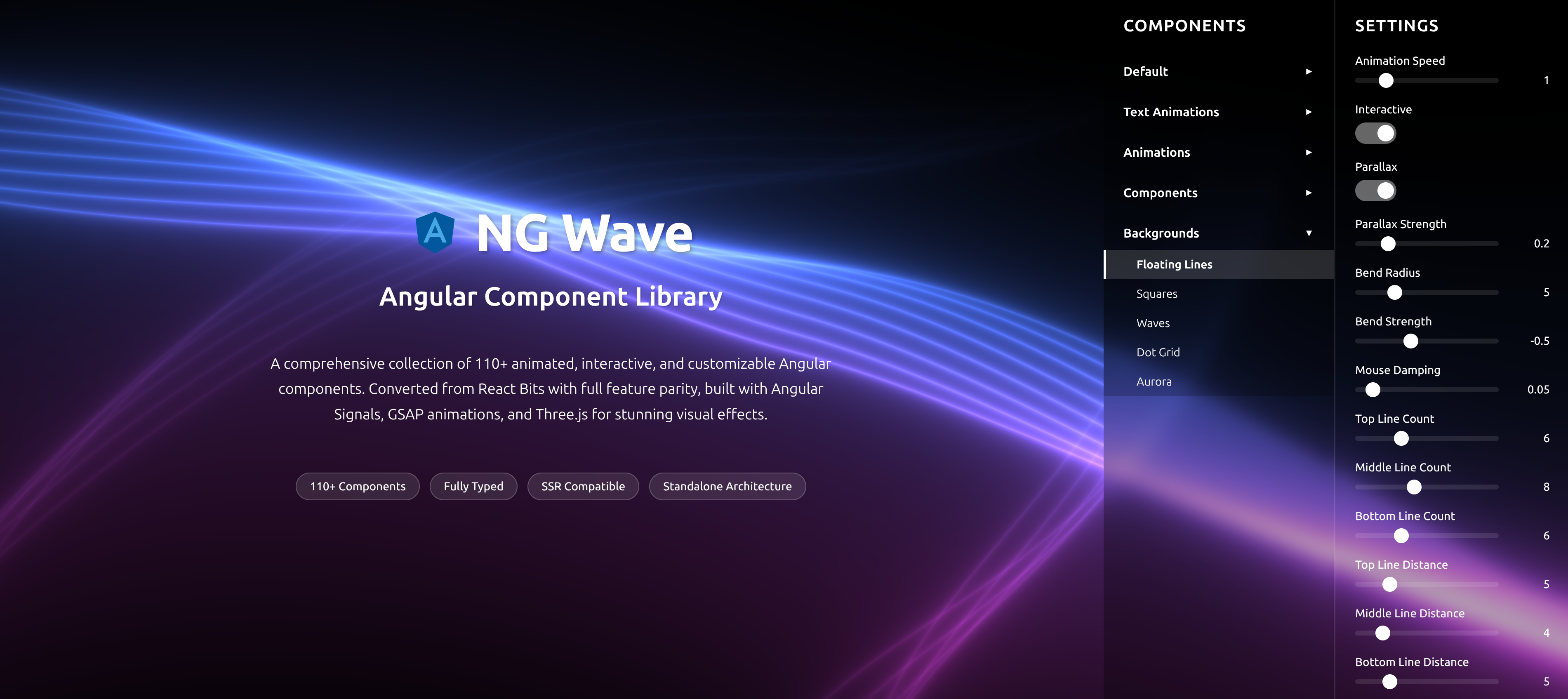
NG Wave
Angular Component Library
A comprehensive collection of 110+ animated, interactive, and customizable Angular components. Converted from React Bits with full feature parity, built with Angular Signals, GSAP animations, and Three.js for stunning visual effects.
Explore Components