Rescue Legacy AngularJS/Angular 9–14 by Modernizing State to Signals + SignalStore (No Full Rewrite)
A pragmatic, step‑by‑step path to stabilize legacy UX by moving state to Signals islands, facades, and custom elements—while your app keeps running.
Don’t rewrite the engine mid‑flight—swap the wiring. Signals + a clean facade calm legacy apps fast, and the rest of the upgrade becomes boring.Back to all posts
I’ve been dropped into more than a few midnight Slack bridges where an old AngularJS or Angular 10 dashboard jittered any time data changed. In telecom ads analytics, the chart would pulse; in an airline kiosk, form fields would reset on every poll. The culprit was always the same: state scattered across services, RxJS subjects, and component fields, all fighting change detection.
You don’t need a big‑bang rewrite to fix this. The fastest rescue I run today is to migrate state—not views—into Signals and a SignalStore facade. We treat Signals like a new nervous system and attach it to legacy limbs with safe adapters. The app keeps shipping while the UX calms down.
The On‑Call Dashboard Jitter: Rescuing Legacy Angular with Signals
As companies plan 2025 Angular roadmaps, you may not win a budget to rewrite. But you can still stop the bleeding. I’ve done this in employee tracking and payments, advertising analytics, and device dashboards by lifting state into Signals islands while the rest stayed put.
What I’ve fixed in the wild
In each case, we strangled the legacy state first. UI refactors came later. Signals + SignalStore gave us deterministic, memoized, and inspectable state. The team saw stability within days, not months.
Telecom ads analytics (Angular 10): charts pulsing on every polling tick.
Airport kiosk (AngularJS): inputs losing focus after device pings.
Insurance telematics (Angular 12): race conditions on WebSocket reconnects.
Why Angular 9–14 and AngularJS Apps Break During State Changes
This matters for Angular 20+ teams too: if you plan to upgrade later, Signals‑first state makes the jump safer. The facade becomes a stable contract you can keep while the shell framework changes under it.
Symptoms you’re likely seeing
Jittering charts and flickering tables on each tick.
Stale selections and forms resetting after background sync.
Zombie subscriptions leaking memory and CPU.
Hard‑to‑reproduce race conditions after retries/reconnects.
Root causes I diagnose
Signals fix two big issues: they pull state into a deterministic graph (no accidental fan‑out) and they only propagate when values actually change. Pair that with a disciplined facade and your render counts drop immediately.
Mutable service state + Subjects used as event buses.
Selectors recomputing excessively due to referential churn.
Zone-triggered global change detection hammering every component.
No single source of truth—data duplicated across components.
Strategy: Migrate State to Signals + SignalStore Without a Full Rewrite
This is the same strangler‑fig pattern I used on a broadcast media VPS scheduler (Angular 11) and an IoT device manager (Angular 12). We moved the core state first, then incrementally replaced views.
1) Audit and boundary map
Identify two or three hot paths (e.g., dashboard summaries, device status, user session). We’ll lift those first.
Trace critical data flows: who reads/writes?
Profile with Angular DevTools flame charts.
Log timing with Firebase/GA4 and add Web Vitals in CI.
2) Create a Signals island
For AngularJS or Angular <16, custom elements work great. You can embed modern state without touching the legacy router.
Build an Angular 20 library in Nx.
Ship as a custom element or Module Federation remote.
Expose a stable API: inputs (attributes/props) and outputs (CustomEvents).
3) Implement a SignalStore facade
I use @ngrx/signals for pragmatic stores—fewer opinions than NgRx classic, still testable and explicit.
Keep state minimal and typed.
Expose computed signals for selectors.
Use effects to orchestrate async work and retries.
4) Interop with RxJS/NgRx
No need to rip out NgRx selectors on day one—wrap them with selectSignal and keep moving.
Bridge Observables → Signals with toSignal or selectSignal.
Expose toObservable for legacy async pipes.
Gradually replace imperative Subjects with store methods.
5) UI wiring with PrimeNG + adapters
PrimeNG grids and charts become calmer when fed by memoized signals rather than hot Subjects.
Drive inputs from signals; write back via store methods.
Remove redundant markForCheck and manual detects.
Use virtual scroll and data virtualization for big lists.
6) CI and safe rollout
If a render count doubles, the pipeline fails. We protect the rescue with guardrails.
Feature flags for canaries (Firebase Remote Config).
Cypress user flows + Storybook/Chromatic visual diffs.
Lighthouse budgets and render-count thresholds.
Code Walkthrough: A SignalStore Facade That Plays Nice with Legacy
// libs/state/analytics.store.ts
import { signalStore, withState, withComputed, withMethods, withHooks } from '@ngrx/signals';
import { computed, effect, inject, Signal } from '@angular/core';
import { toSignal, toObservable } from '@angular/core/rxjs-interop';
import { HttpClient } from '@angular/common/http';
import { Observable, retry, map, shareReplay } from 'rxjs';

interface Summary { impressions: number; clicks: number; spend: number; }
interface State {
  loading: boolean;
  error: string | null;
  summary: Summary | null;
}

export const AnalyticsStore = signalStore(
  withState<State>({ loading: false, error: null, summary: null }),
  withComputed(({ summary }) => ({
    ctr: computed(() => {
      const s = summary();
      return s ? (s.clicks / Math.max(1, s.impressions)) : 0;
    }),
    cpm: computed(() => {
      const s = summary();
      return s ? (s.spend / Math.max(1, s.impressions)) * 1000 : 0;
    })
  })),
  withMethods((store, http = inject(HttpClient)) => ({
    load: (accountId: string) => {
      store.patchState({ loading: true, error: null });
      const req$: Observable<Summary> = http
        .get<Summary>(`/api/summary?acct=${accountId}`)
        .pipe(retry({ count: 2 }), shareReplay(1));

      // Bridge: Observable → Signal
      const summarySig: Signal<Summary | null> = toSignal(req$, { initialValue: null });

      effect(() => {
        const val = summarySig();
        if (val) store.patchState({ loading: false, summary: val });
      });
    },
    reset: () => store.patchState({ loading: false, error: null, summary: null })
  })),
  withHooks({
    onInit(store) {
      // Optional bootstrapping logic, telemetry wiring, etc.
    }
  })
);

// Interop surface for legacy consumers (AngularJS/Angular 9–14)
export function summary$Factory(store = inject(AnalyticsStore)) {
  return toObservable(() => store.summary());
}
<!-- Angular 12 template can keep using async pipe safely -->
<div *ngIf="summary$ | async as s">
<p>Total: {{ s.impressions | number }}</p>
<p>CTR: {{ (s.clicks / s.impressions) | percent:'1.2-2' }}</p>
</div>// Custom Element bootstrap (Angular 20 island inside any host)
import { Injector, createApplication } from '@angular/core';
import { createCustomElement } from '@angular/elements';
import { AnalyticsWidgetComponent } from './analytics-widget.component';
(async () => {
const app = await createApplication({ providers: [] });
const injector = app.injector as Injector;
const el = createCustomElement(AnalyticsWidgetComponent, { injector });
customElements.define('analytics-widget', el);
})();// Feature flag (Firebase Remote Config or similar)
export const useSignalsPath = () => remoteConfig.getBoolean('signals_state_enabled');In practice, I’ll also wrap existing NgRx selectors with selectSignal to reuse them immediately:
import { Store } from '@ngrx/store';
import { selectSignal } from '@ngrx/signals';

const totalSpend = selectSignal(this.store, fromAnalytics.selectTotalSpend);
PrimeNG hooks cleanly into Signals. Driving inputs from signals (instead of Subjects) stops jitter:
<p-chart type="line" [data]="chartData()" [options]="chartOptions"></p-chart>Define the types and store
A compact SignalStore with derived totals and an effect that consumes an existing RxJS API (HTTP or WebSocket).
Bridge to Observables for legacy consumers
Expose Observables so AngularJS or Angular 9–14 components can keep using async pipe until they’re retired.
Embed as a Custom Element
Use Angular Elements to ship the Signals island anywhere—even JSP pages during a rewrite.
Feature‑flag rollout
Gate the new state path and flip users gradually.
When to Hire an Angular Developer for Legacy Rescue
I’ve rescued airport kiosks, advertising analytics, and insurance telematics platforms by modernizing state first. If you’re comparing Angular development services, prioritize Signals + observability experience—your mean‑time‑to‑calm depends on it.
Good triggers to bring in an Angular consultant
If you need a remote Angular developer with Fortune 100 experience, bring me in for a 2–4 week rescue. We stabilize state, add guardrails, and chart the upgrade path.
Quarter slips due to flaky state or flaky tests.
Jitter or stale data on high‑value dashboards.
Failure to upgrade because state is too entangled.
Multi‑tenant/role logic duplicated across views.
How an Angular Consultant Approaches Signals Migration
If you need an Angular expert for hire to plan this with your leads, I’ll share a one‑week assessment report and a 30/60/90 plan aligned to your roadmap.
Week 0–1: Assessment
Instrumentation: DevTools profiles, GA4/Firebase logs, WebSocket traces.
Boundary map: who owns session, device, and data domains?
Risk list: race conditions, Subjects-as-buses, circular deps.
Week 1–2: Signals island + facade
Stand up Nx lib + SignalStore.
Adapters for toSignal/toObservable and selectSignal.
PrimeNG wiring and visual diff baselines.
Week 2–4: Cutover and hardening
Typical outcome: 40–70% fewer renders on hot routes, and support tickets drop within a sprint. That mirrors my 68% render reduction on a Signals + tokens refresh showcased at AngularUX.
Feature-flag canary, error taxonomy, exponential backoff.
Cypress flows, Lighthouse budgets, Angular DevTools render counts.
Rolling deprecation of legacy services.
Measurable Outcomes and What to Instrument Next
State modernization is the highest‑leverage move you can make without a rewrite. It pays dividends when you later upgrade to Angular 20+ or enable SSR.
Metrics I track
Render count per route (Angular DevTools).
Time to Interactive and input delay (Lighthouse, Web Vitals).
Error rate by domain (Firebase Logs or Sentry).
WS reconnect stability and retry success rate.
Next steps after state rescue
On a global entertainment employee tracker, we stabilized state in two weeks, then replaced high‑traffic screens over the next quarter without outages.
Gradually replace legacy views with Signals components.
Introduce SSR/hydration if SEO or FCP matters.
Roll data virtualization for large grids.
Consolidate roles/tenants into the facade.
Key takeaways
- You can modernize state with Signals + SignalStore without upgrading the entire app first.
- Create “Signals islands” via custom elements or federated modules and interop via toSignal/toObservable.
- Wrap legacy NgRx/subjects behind a facaded SignalStore to stop ripple bugs and jitter.
- Instrument first: Angular DevTools flame charts, telemetry, and GA4/Firebase logs guide the cutover.
- Roll out behind feature flags with CI gates (Cypress, Lighthouse budgets) and measure before/after.
Implementation checklist
- Map state boundaries and top 3 UX pains (jitter, stale data, blocking spinners).
- Add telemetry: Angular DevTools profiles, GA4/Firebase logs, Web Vitals in CI.
- Carve a Signals island (Angular 20 library → custom element or MF).
- Implement a SignalStore facade with typed state, computed selectors, and effects.
- Bridge legacy Observables via toSignal/selectSignal and expose toObservable for old views.
- Wire to PrimeNG components; remove redundant change detection triggers.
- Add feature flags and canary rollout (Firebase Remote Config/ConfigCat/LaunchDarkly).
- Write integration tests and visual diffs (Cypress + Storybook/Chromatic).
- Measure render counts and TTI; set budgets to prevent regressions.
- Iterate module-by-module; decommission legacy services as coverage grows.
Questions we hear from teams
- How much does it cost to hire an Angular developer for a state rescue?
- Most rescues run 2–4 weeks. Fixed‑price assessments start with a one‑week audit and plan. Implementation is time‑boxed and outcome‑based with CI guardrails and telemetry included.
- Do we have to upgrade to Angular 20+ first to use Signals?
- No. You can ship a Signals island as a custom element or MF remote while keeping AngularJS or Angular 9–14. Interop bridges (toSignal/toObservable) let legacy views consume the new state.
- What’s involved in a typical engagement?
- Day 1 adds telemetry and a boundary map. Week 1 delivers a Signals facade and adapters. Weeks 2–4 cut over key routes behind feature flags with Cypress and Lighthouse budgets to protect UX.
- Will this break production?
- We gate changes with feature flags, canaries, and tests. If a regression appears, we flip the flag off instantly and analyze with Firebase logs and Angular DevTools.
- How long until we see UX improvements?
- Most teams see fewer renders and less jitter within the first sprint. Stabilizing hot paths first creates momentum and unlocks future upgrades.
Ready to level up your Angular experience?
Let AngularUX review your Signals roadmap, design system, or SSR deployment plan.
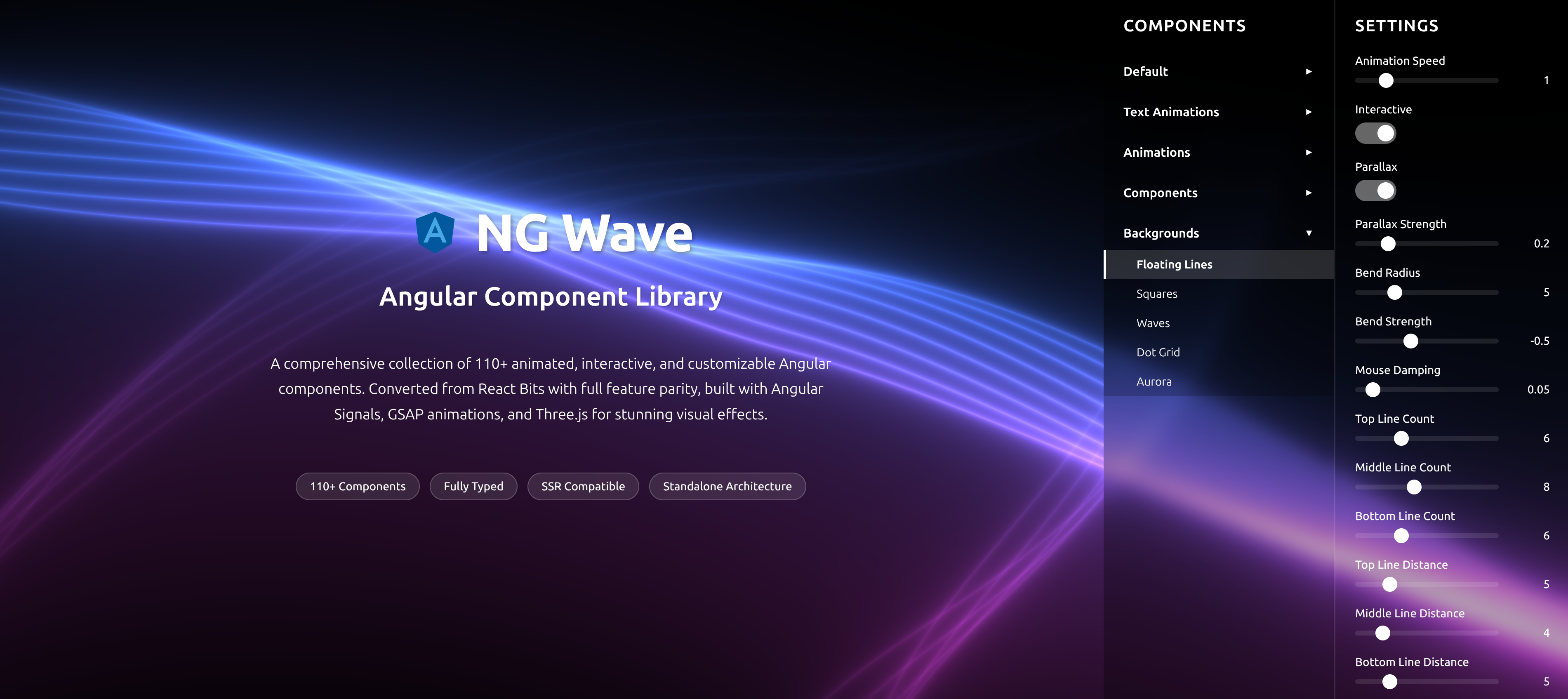
NG Wave
Angular Component Library
A comprehensive collection of 110+ animated, interactive, and customizable Angular components. Converted from React Bits with full feature parity, built with Angular Signals, GSAP animations, and Three.js for stunning visual effects.
Explore Components